True Pan
Introduction
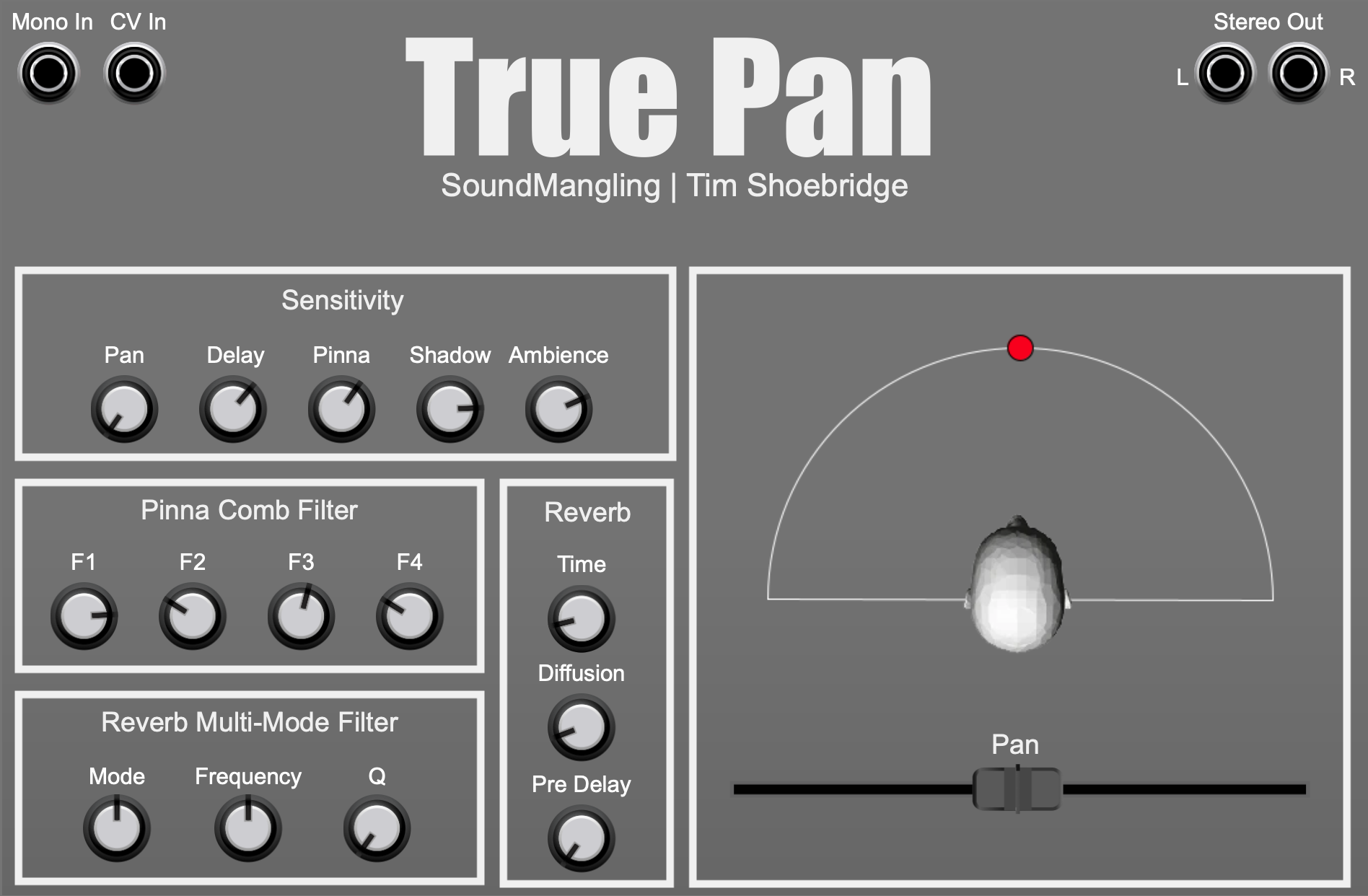
This module takes a mono sound source as its input and processes it according to its specified pan position within the stereo field. Simple crossfade panning is available but also various binaural techniques including delay, pinnae and shadow effects. Rudimentary control over pinnae filter parameters is supplied. Pan position can be controlled manually or via a CV input. A reverb effect is also included which has a built-in multi-mode filter with resonance. Please be aware that the filter can self oscillate! This is an experimental module, meant for sonic experimentation.
Availability
This software tool is distributed as a module for Cherry Audio’s Voltage Modular product. Voltage Modular runs on Windows and Apple Mac, both as a standalone application and as a VST plugin for your DAW. Modules can be purchased and downloaded using Voltage Modular’s online store. Voltage Modular itself is completely free to download. Please check out Cherry Audio’s website for more information here.
True Pan User Guide
Mono In
Monophonic audio input. Ensure the input signal is not overloaded before it reaches True Pan as True Pan does not have its own attenuation control.
Stereo Out
Stereo audio output.
Sensitivity
This is the main control section of True Pan and dictates which effects are applied to the input signal. The available effects can be combined, and should be if you want to approximate a real-life sound treatment. Available effects are:
Pan – simulates normal crossfade panning as found in all mixers and DAWs. Supplied for reference purposes only.
Delay – introduces a delay between the left and right output channels. Delay increases as pan widens.
Pinna – introduces binaural comb filtering. The filtering effect changes as pan position changes. Although this does not give a strongly directional effect, especially when panning is static, it does enhance a sense of movement.
Shadow – introduces a filtering effect at wider pan settings to simulate the filtering effect that indirect sound is subject to.
Ambience – introduces a reverb effect which is applied using binaural techniques.
Pinna Comb Filter
Provides direct control over the comb filter peaks and troughs used to simulate the binaural effect of pinnae. The default positions are a good starting point but feel free to experiment and tweak the settings if they help to accentuate the binaural effect. Every person’s ears are built differently, have a different size and shape, so the comb filter can only provide a sense of movement to the sound when panning is dynamic, it will not magically allow you to pinpoint a sound coming from any direction.
Reverb
Provides basic control of the ambient reverb supplied by this module. This is an experimental reverb, it is closely linked to the binaural algorithms that are executing, it is meant to be added as a sublt effect and is not a substitute for a regular end-of-signal-chain reverb effect.
Reverb Multi-Mode Filter
Provides control over the filtering of the wet reverb signal. The mode control provides a seamless sweep between filter modes at these specific positions:
Far left – low pass filter
Mid position – band pass filter
Far right – High pass filter
Please be aware that the filter can and will self resonate at high resonance (Q) settings so please be careful of your speakers and your hearing!